
Start for free
Free plan with up to 5 tours and 10 360 images per tour, with no upfront cost. Upgrade only when you need more projects.
Create, customize and publish 360 virtual tours right in your browser. For real estate, architecture, interior design, hotels, schools, museums, industry, retail and events, with hosting and Google Street View integration.
Free plan available, no credit card requiredNaxees is an online platform for creating 360 virtual tours from 360 panoramic photos or 3D renders. Upload your images, connect the rooms, and add hotspots, text, video, audio and floor plans. Publish by link, on your website or on Google Street View. Everything works in the browser, with no coding, and tours can be viewed on computers, phones, tablets and virtual reality headsets.
Free plan, no credit cardReal estate agencies, builders, architects, interior designers, 360 photographers, Google Street View agencies, hotels, schools, museums, industry and more.
The process is very simple, and you don't need to know how to code. Just upload your 360 images, connect the rooms, customize and publish.
On any device with a screen (computer, phone, tablet) and on Virtual Reality (VR) headsets, for in-person and remote presentations.
Data updated October 2026
360 virtual tours work for any business that needs to show a space remotely, from real estate agencies and builders to architects, photographers and Google Street View agencies. It's fast and requires no technical knowledge.
Show finished and off-plan properties with 360 virtual visits your clients can access from anywhere. Use the tour in listings, on your agency website, at trade shows and to track construction progress.
Present projects as navigable 360 renders and let clients walk through the space before construction. The tour stays online, with a link to share and approve the project.
The Google Street View integration publishes 360 images of businesses and public places straight to Google Maps. Photographers and agencies make hundreds of publications every month.
Turn your 360 photos into complete tours to deliver to clients, with your company logo, link, embed code and Google Street View publishing.
Start without paying and choose how to grow: by subscription or per tour.
Free plan with up to 5 tours and 10 360 images per tour, with no upfront cost. Upgrade only when you need more projects.
Plans from US$ 12.90/month on the annual plan. Switch plans whenever you need more or fewer projects.
Buy single tours with every editing feature, no subscription required.
Build your tour with clicks and drag-and-drop. No coding and no learning curve, from creation to publishing.
Update text, images and hotspots whenever you want, without relying on anyone else.
Use photographed or rendered panoramas. You handle the capture or the render, and the platform handles the rest.
In just a few clicks, you upload your 360 images, connect the rooms and publish the tour online.
Upload photographed or rendered panoramas in equirectangular format (2:1 aspect ratio). Keep rooms, floor plans, photos, audio and other files in one place.

Connect the rooms with navigation arrows and add hotspots with text, images, video and audio. Add the floor plan and your company logo.
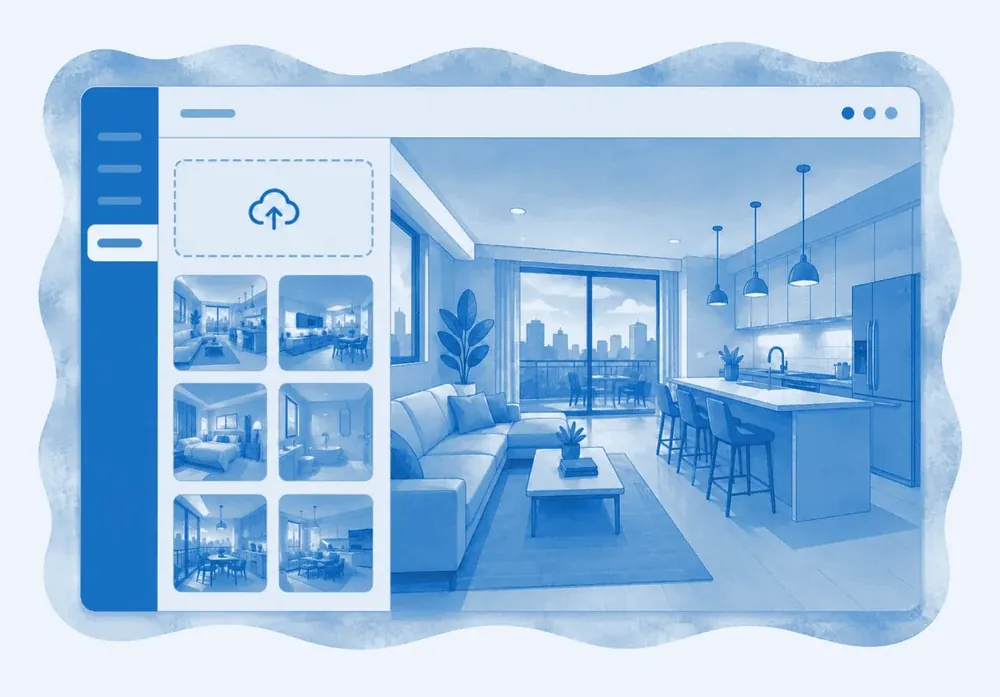
Publish with a link, embed it on your website with an embed code, send it to Google Street View or open it on computers, phones, tablets and virtual reality headsets.
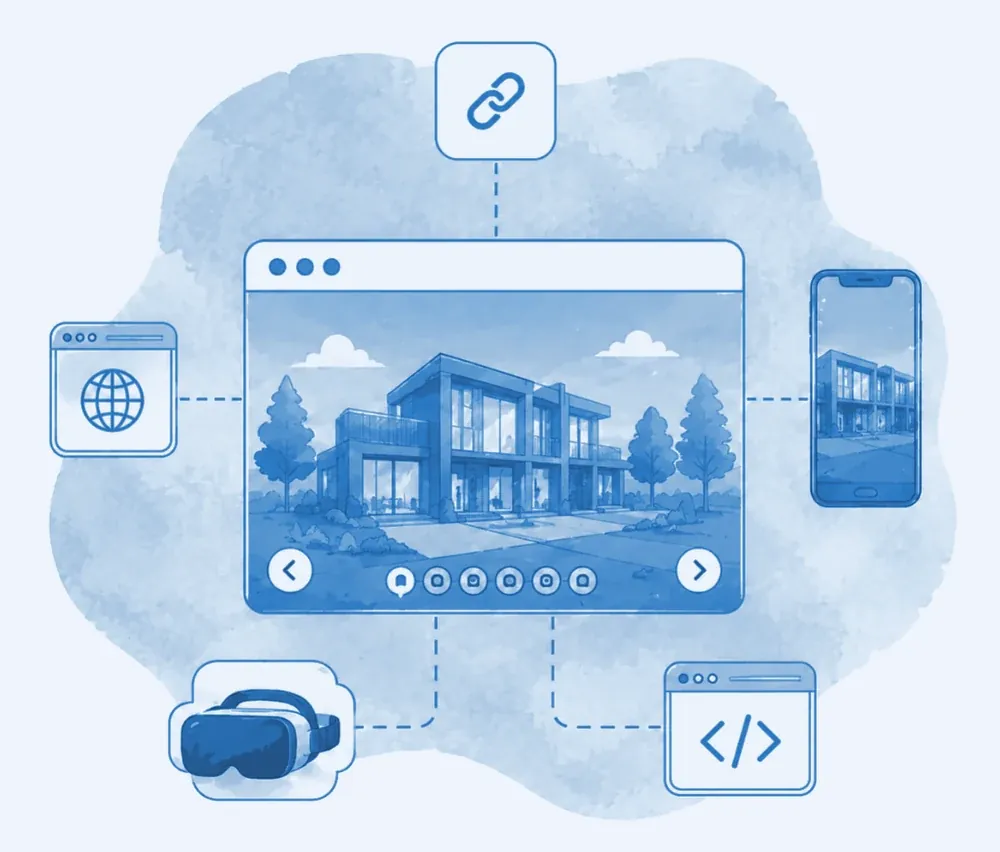
Drag to look in every direction and click the arrows to move between rooms.
360 virtual tour of a real estate development in its launch phase, created with 3D renders.
Everything you need to create, customize and publish 360 virtual tours, right in your browser.
Your virtual tours open in any web browser, on any device, with nothing to install.
Navigate with mouse and keyboard in any modern browser. All you need is an internet connection.
Explore by touch. Our mobile app lets you browse tours in offline mode (see subscription plans).
View the virtual tour in immersive mode, including on Meta headsets, Apple Vision and Cardboard-style viewers.
Quickly find answers to the most common questions about the platform.
Yes, there is a free plan with up to 5 virtual tours and 10 360 images per tour. Subscriptions start at US$12.90 per month (on the annual plan), and you can also buy single tours on demand. See the limits of each plan on the pricing page.
Yes, you need to subscribe to a plan. Any subscription plan removes the Naxees logo and the ads.
Yes. Naxees offers subscription plans with monthly or annual billing. We provide a broad, robust infrastructure to host your 360 images securely and keep your virtual tours available. This infrastructure grows over time and requires ongoing investment.
On Naxees, the only cost is the platform subscription. The total cost varies by industry. Take, for example, real estate agencies and brokers in real estate, and architects and interior designers in architecture.
Real estate agencies and brokers need equipment to capture 360 photos: a 360 camera, a tripod and a compatible phone. Alternatively, they can hire a photographer.
Architects, interior designers, custom furniture companies and 3D studios need 3D modeling and rendering software that can produce 360 images. Sometimes they also need to invest in computers.
Each industry has its own variables. In general, though, this cost is always lower than the return in prospecting, lead generation, sales, time saved, fewer site visits, less rework, faster client approvals and more.
Yes, because they are a permanent digital asset.
Used as an online portfolio, virtual tours keep generating views, website traffic, visits, interest and conversions for months or years, with no recurring operating costs for physical visits or dedicated staff.
If you meet clients at your office, visit them at home or attend trade shows and events, you can carry the virtual version of your properties or projects with you. And you can present them immersively with a virtual reality headset.
Yes. Virtual tours build client trust, qualify leads better and speed up decisions. They let clients get to know the space (place, property, project, etc.) before a sales call or an in-person visit.
They also make tangible products that don't exist yet. For example: an architecture project before construction, a new real estate development that hasn't broken ground, the plan for a subdivision on an empty lot, a visit to a hard-to-reach place, and so on.
Yes, but keep the rules of each subscription type in mind.
We offer subscription plans with monthly and annual billing. If you choose monthly billing, you can cancel at any time, with no penalty.
If you choose annual billing, you commit to a 12 (twelve) month term. In that case, if you cancel during the active subscription period, you will need to complete the contracted cycle.
The cancellation policy is detailed in our terms of use.
If you choose monthly billing, payments are not refunded when you cancel. Once you cancel, our system stops renewing your subscription each month. You keep access to your plan until the end of the paid period, and then your account returns to the free plan.
If you choose annual billing, you commit to a 12 (twelve) month term, whether you pay in full or in installments. If you request cancellation within 5 (five) calendar days of payment, you get a refund of 90% of the amount paid. We keep 10% to cover the fees of the payment processor. After those 5 (five) days, refunds are no longer possible. You keep access to your plan until the end of the contracted period, and only then does your account return to the free plan.
The cancellation and refund policy is detailed in our terms of use.
No. Virtual tours stay online as long as you have a subscription. If you cancel, the tours can no longer be opened from their links. They become available again when you subscribe again.
If an account has no active subscription and no activity for more than 12 (twelve) months, all virtual tour content is automatically deleted from the account.
Naxees is an online platform for creating 360 virtual tours from 360 images, whether photos or 3D renders. It hosts the images and publishes the tour through a link, lets you embed it on other pages and publish it on Google Street View. Naxees is developed by Imersio.
No. You access the platform and create virtual tours in the browser, with a click-and-drag editor, no coding and nothing to install.
Naxees is an alternative to Matterport. The two solutions differ in cost, flexibility and control. Matterport is limited to its own cameras, while Naxees lets you use 3D images and 360 photos captured with any 360 camera model.
Many companies choose Naxees because it is more affordable and customizable, and its virtual tours run more smoothly. Here is a short comparison table.
| Aspect | Naxees | Matterport |
|---|---|---|
| Creation type | 360 images + interactive settings | 3D Digital Twin model |
| Cost | Affordable | High |
| Hardware | Any 360 camera | Proprietary 360 camera |
| Interactivity | Hotspots, videos, links | Hotspots, notes, measurements |
| Immersive view | Yes, Google Street View style | Yes, 3D model |
| Best for | Presentations, listings, sharing and conversion | Technical detail and professional capture |
Yes. Naxees integrates with the Google Street View API, which lets you publish virtual tours on Google Maps. Under Google's rules, publishing is limited to virtual tours of businesses and public places; virtual tours of private homes and 3D projects cannot be published.
Naxees virtual tours can be easily embedded in web pages, websites, blogs and landing pages. Virtual tours increase time on page and improve the user experience. This helps improve the page's SEO and ranking in search engines.
Yes. In the sharing area, copy the tour's embed code and paste it into your website page. You can also share the virtual tour link on social media and send it by email and messaging apps.
Yes, you can customize the virtual tour at any time. Once it is published, every change you make in the tour editor is applied automatically to the published tour link.
You can set up and add many types of information and interactive content: your logo, text, images, audio, links to YouTube videos, links to external websites, image blurring and more.
The first step is having your 360 images. They can be captured with a 360 camera (for a real physical place) or rendered from a 3D project (for a fully digital space). This is the step that takes the longest.
Once you have the 360 images, the steps in Naxees are very simple: create a new project and upload the 360 images. When the upload finishes, the tour is already published and ready for you to customize. In general, the more 360 rooms and interactions you add, the longer customization takes.
A 360 image captures the space in every direction: forward and back, to the sides, up and down. Unlike a traditional image, it offers an immersive experience in which the viewer can “look around” as if they were inside the place. A 360 image can be a photograph (of a real space) or a 3D render (of a digital space).
360 images follow a universal standard called equirectangular, with a 2:1 aspect ratio, where the width is exactly twice the height (for example, 8192 x 4096 pixels). Equirectangular images are generated as a sphere or a cube, the sphere being the most common format produced by 360 cameras and 3D renderers.
Since these images are meant for digital viewing, not printing, it is worth noting that 360 images should preferably be generated as JPG. There is no loss of quality in 360 images when using the JPG format.
The monoscopic 360 image is the most common and widely used format in virtual tours, especially when viewed on a flat screen (computer, tablet, phone, monitor or interactive display). It is simple to produce, either with a 360 camera or by rendering in 3D modeling software.
When viewed in a Virtual Reality headset, a monoscopic 360 image conveys a sense of immersion in the virtual space, but it cannot convey a sense of depth. The viewer can look in every direction, but does not see the space with the same proportions as the real world. A more realistic immersive experience is only possible with stereoscopic 360 images.
The stereoscopic 360 image is the format made specifically for immersive experiences, an image created for virtual reality. It is made up of 2 (two) 360 images, one for each eye, with a small offset in the image's fixed point, simulating the distance between our eyes.
This characteristic of the stereoscopic 360 image allows for a better immersive experience, giving the viewer a realistic sense of being in the virtual space, seeing real proportions of size, space and depth.
Stereoscopic 360 images can follow different format standards. The 2 (two) most common standard formats are 1:1 and 4:1.
In this format, 2 (two) equirectangular images (one for each eye) are stacked vertically, creating a final image with a 1:1 aspect ratio.
In this format, 2 (two) equirectangular images (one for each eye) are placed side by side horizontally, creating a final image with a 4:1 aspect ratio.
A panoramic image is a photo stretched horizontally (sometimes vertically) that captures a wider field of view than a regular photo, but still with limits. In other words, you see a broad part of the space, but you cannot look in every direction.
A 360-degree image, on the other hand, captures the space as a whole, letting you look around a full 360 degrees: forward, back, to the sides, up and down. It is also interactive, letting the viewer control what they see.
| 360-degree image | Panoramic image |
|---|---|
| Follows a standard called equirectangular | Has no standard |
| Complete view of the space | Partial view of the space |
| Lets you look in every direction | Does not let you look up or behind |
| Fully interactive | Partially interactive |
| As a photo, requires a 360 camera | As a photo, can be taken with a phone |
| Puts you inside the space | Shows only a larger part of the space |
Photos are static, videos are passive, and both show only fragments of a space. A virtual tour is a set of 360 images that lets visitors explore the space freely, at their own pace, creating a much clearer, more interactive and more trustworthy experience.
A virtual tour is an interactive presentation in which users explore virtual spaces as if they were physically there. It uses 360 images connected to each other by navigation points.
Unlike traditional photos or videos, a virtual tour lets you:
360 images can be rotated, so spaces can be viewed from every angle. Interactive elements respond to the actions of the person navigating the tour.
On computers, these actions are triggered by mouse clicks. On tablets and phones, by touching the screen. In virtual reality headsets, interaction with the 360 images depends on the headset model, usually through head movement and handheld controllers.
Yes. Virtual tours created with Naxees are responsive and run directly in the browser, with no apps needed. They work on computers, phones, tablets and on virtual reality headsets from the Meta line, Apple Vision and Cardboard-style models.
They are suited for real estate companies (developers, agencies and real estate agents), architecture and interior design, custom furniture companies, 3D studios, 360 photographers, Google Street View agencies, showrooms, hotels, schools, museums, factories, stores, event organizers, and any other company or professional who needs to show rooms and spaces digitally or remotely.
Virtual tours are interactive presentations that increase engagement compared with static photos. Naxees provides a range of features and tools for building interactions, but it is the customer who creates them in the tour.
That said, we can say yes, visitors do navigate virtual tours. However, how appealing a virtual tour is depends on how the customer customizes it. A tour becomes more inviting when it is built the right way.
Perfectly. A virtual tour created with Naxees works like a website. Once published, it is accessed through a link and can be viewed on any device with a web browser (phone, tablet, computer or virtual reality headset). It removes geographic barriers and enables remote presentations and decisions, in any time zone.
Yes. The most cost-effective solution is a 360 camera. With a 360 camera you can capture 360 photos with a single click. This is the best option for anyone who wants productivity, and it requires no technical knowledge.
Other solutions also work very well, but they require professional equipment, proper technical knowledge, and image stitching and editing software. These alternatives let you capture with DSLR cameras, drones or action camera rigs (such as GoPro).
Another alternative is to hire specialized professionals or companies.
Yes, it is possible. The main 3D modeling software and rendering plugins on the market let you set the render output format so that images are generated in 360 degrees. This can be done for both monoscopic and stereoscopic 360 images.
Start on the free plan and publish today. No credit card required.
We use essential cookies to make the site work. With your permission, we may also use analytics and marketing cookies. Cookie Policy